
If you want to know how to check backlinks for your own website, or for a competitor, you can do it in about five minutes with free tools. This guide shows how to check backlinks step by step, what the numbers on the screen actually mean, and how to tell a good link from one that is quietly dragging your rankings down.
No fluff about why SEO matters. Just a walkthrough you can follow with a browser tab open, plus enough context to understand what you are looking at.
How to Check Backlinks: The 5-Minute Version
- Your own site, free and most accurate: open Google Search Console, go to Links in the left menu, and open Top linking sites. This is the list of backlinks Google itself knows about. Use Export external links to download it.
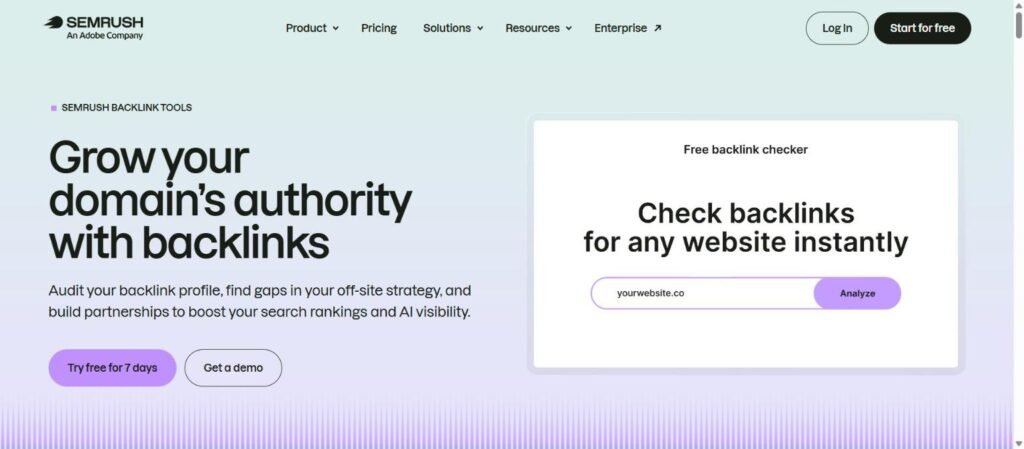
- Any website, including competitors: paste the domain into a free backlink checker (Ahrefs, Semrush, Moz or Ubersuggest all have one). You will see the top 100 or so backlinks, referring domains and anchor text without paying.
- A single page: paste the full URL instead of the domain and switch the tool to “exact URL” mode. This shows backlinks to that page only.
- Check the quality, not just the count: sort by referring domains, open five or six of the linking pages, and ask whether a real person would ever read them.
- Save a copy: export the list to a spreadsheet with today’s date so you can see what was gained or lost next month.
That is the whole process. If you do not want to use any tool at all, there is a separate walkthrough on how to check backlinks manually with Search Console, Bing Webmaster Tools and search operators. The rest of this guide explains each step properly.
Finding a backlink in a tool is only half the job. Before you count it, it is worth taking a minute to check if backlinks are indexed, because a link Google has never crawled passes nothing.
What a Backlink Checker Is Actually Doing
A backlink checker crawls the web the same way Google does, follows links between pages, and stores them in a database. When you search a domain or URL, the tool isn’t checking your site live — it’s showing you what its own crawler has already found and indexed. That’s an important distinction: no two tools will ever show you the exact same number of backlinks, because no two tools crawl the web identically or refresh their index on the same schedule.
If you would rather not pay for a crawler at all, I also wrote a step-by-step guide on how to check backlinks manually using Search Console, Bing and a handful of search operators.
Ahrefs, for instance, runs one of the largest independent web crawlers outside of Google and Bing, refreshing parts of its index every 15–30 minutes. Semrush and Moz run their own crawlers with different scale and refresh rates. Google Search Console, on the other hand, only shows links Google itself has crawled and chosen to report — which is often a smaller, more conservative list than what third-party tools surface. None of these are “wrong.” They’re just different snapshots of the same messy, constantly-changing web.
Why You Should Actually Bother Checking Yours
It’s easy to treat a backlink check as a vanity exercise — you look, you feel good about the number, you close the tab. But there are a handful of concrete reasons this is worth doing on a schedule rather than once a year:
You lose links without noticing. Sites redesign, delete old blog posts, or switch CMS platforms, and any link pointing to you from that page just disappears. If that page was sending you meaningful referral traffic or ranking signal, you won’t know unless you’re checking.
Negative SEO and spam links happen quietly. Some sites get hit with links from gambling, adult, or scraped-content domains that neither the site owner nor their competitors put there on purpose — these are usually the by-product of automated spam networks. Left unchecked, a pile of these can look suspicious to Google.
Competitors will show you gaps in your own strategy. Checking a competitor’s backlinks isn’t about copying them — it’s about finding the resource pages, journalists, and communities that already link to sites like yours, which you haven’t approached yet.
Link building campaigns need proof of work. If you’re running outreach — guest posts, HARO responses, digital PR — a backlink checker is how you confirm links actually went live, are still live months later, and are passing the value you expected (dofollow vs. nofollow, indexed vs. not).
Checking Your Own Backlinks, Step by Step
Here’s the actual process, using Ahrefs’ free backlink checker as the example since it’s the tool most people land on for this exact search — the same principles apply almost identically in Semrush, Moz, or Ubersuggest.
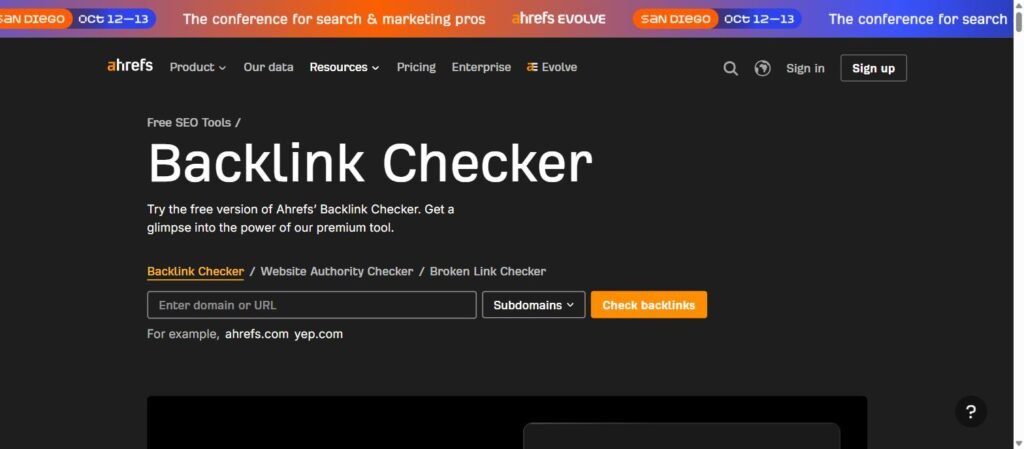
1. Enter your domain or a specific URL. You have a choice here that most people skip past: checking the whole domain (yoursite.com) shows every backlink pointing anywhere on your site, while checking a single URL (yoursite.com/blog/your-post) shows only the links pointing at that exact page. If you just published something and want to know if outreach worked, search the URL, not the domain.
2. Pick your match type. “Domain” mode includes subdomains (blog.yoursite.com counts); “exact URL” mode is narrower. Get this setting wrong and you’ll either overcount or undercount without realizing it.
3. Look at the overview before the list. Every decent tool gives you a summary panel first: total backlinks, referring domains, Domain Rating or equivalent authority score, and a trend graph. Start here — the graph alone tells you whether your link profile is growing, flat, or losing links month over month, which is more useful at a glance than scrolling through hundreds of rows.
4. Filter before you read. Raw backlink lists are often thousands of rows long and mostly noise — the same low-value directory or forum signature link repeated hundreds of times. Filter by:
- Dofollow only, if you specifically want to see links passing ranking value.
- Domain Rating range, to separate strong referring sites from weak ones.
- New vs. lost, to see what’s changed since your last check.
5. Export what you need. If you’re reporting to a client or team, export the filtered view to CSV rather than screenshotting the dashboard — it’s easier to sort, and it gives you a dated record to compare against next month.
Reading the Metrics Without Getting Fooled by Them
This is the part most guides gloss over, and it’s where people actually get misled.
Domain Rating (DR) / Domain Authority (DA) / Authority Score — these are all proprietary, tool-specific scores (0–100) estimating how strong a site’s overall backlink profile is. They are not a Google ranking factor. Google has said this directly. They’re useful as a quick, comparable shorthand between sites, but a high-DR link from an irrelevant site is often worth less than a moderate-DR link from a site in your actual niche.
Referring domains vs. total backlinks — a page with 500 backlinks from 5 different domains is in a weaker position than a page with 100 backlinks from 80 different domains. Diversity of the sites linking to you matters more than raw link count, because Google’s algorithms are built to notice when a small number of domains are trying to pump link volume artificially.
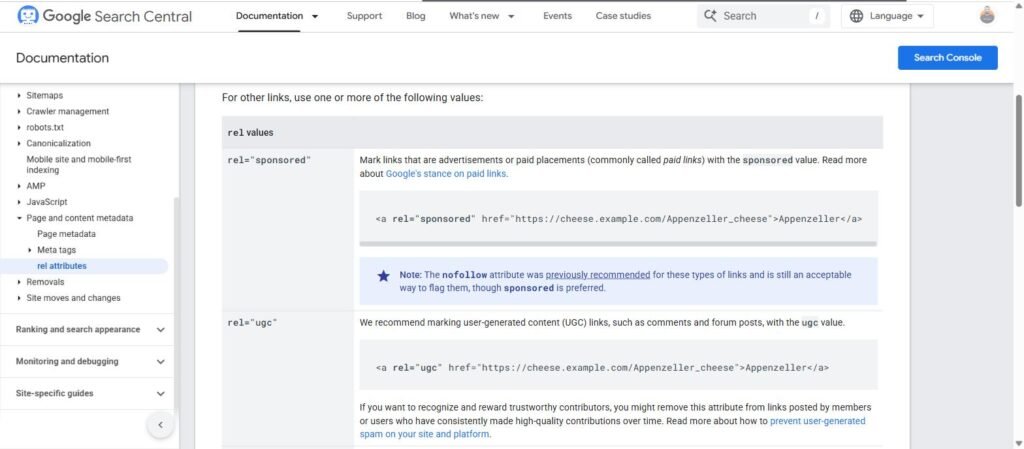
Dofollow vs. nofollow — a nofollow (or the newer “sponsored” and “UGC” attributes) tells search engines not to pass ranking credit through that link. That doesn’t make nofollow links worthless — they still drive referral clicks and brand visibility, and Google’s own documentation on qualifying outbound links confirms it may still use them as a signal in aggregate — but if you’re specifically auditing “how much ranking power am I getting,” filter these out first.
Anchor text — the clickable text of the link. A natural backlink profile has a mix: your brand name, your URL, generic phrases (“click here,” “this article”), and occasionally an exact keyword match. If a huge share of your anchors are the exact keyword you’re trying to rank for, that’s actually a pattern Google’s spam systems have historically flagged — it looks manufactured, because in most natural link-earning, it is.
Traffic to the referring page — a link from a page that gets zero organic traffic itself is a weaker signal than one from a page actively ranking and pulling visitors. Most tools show estimated traffic per referring URL; it’s a good tiebreaker when you’re deciding which links to prioritize chasing or replicating.
Checking a Competitor’s Backlinks (This Is Where the Real Value Is)
Once you know how to read your own profile, turn the same tool on two or three competitors who consistently outrank you. You’re looking for patterns, not individual links:
- Sites that link to more than one competitor but not you. These are the highest-probability targets — they’ve already shown willingness to link to businesses like yours.
- Content types earning the most links. Original data, tools, and comparison pages tend to pull disproportionate backlinks compared to generic blog posts — if a competitor’s “state of the industry” report has 40 referring domains and their regular posts have 2, that tells you what to build next.
- Where their weakest links live. If a competitor’s growth is propped up by a handful of low-quality directories or PBN-style sites, that’s not a strategy worth copying — it’s a liability that could catch up with them later.
Most tools have a dedicated “link intersect” or “competitor gap” report built exactly for this comparison — it’s worth using instead of manually cross-referencing lists.
Spotting Toxic or Spammy Backlinks
Not every backlink deserves to stay. Warning signs worth checking for:
- Links from sites in entirely unrelated languages or niches (a plumbing site suddenly linking from a foreign gambling domain)
- A sudden, unnatural spike in referring domains over a short window, especially with repetitive anchor text
- Links sitting on pages that are clearly auto-generated, scraped, or stuffed with unrelated outbound links
- Domains with rock-bottom authority and no real organic traffic of their own
In most cases, a handful of bad links won’t tank a healthy site — Google is generally good at ignoring low-quality signals rather than penalizing for them. But if you’ve been hit with negative SEO or an old campaign left behind a trail of spam, the standard fix is compiling a disavow file through Google Search Console. Treat this as a last resort, not routine maintenance — disavowing links you don’t actually need to disavow can remove value you didn’t realize you had.
A Simple Monthly Backlink Check Routine
One thing worth adding to that routine: a link showing up in a tool does not mean Google has it. When the two disagree, my guide on how to index backlinks covers what to do about it, in the order that costs the least.
You don’t need to live in these reports. A workable cadence looks like:
- Check your own domain overview for new and lost links (5 minutes).
- Skim new referring domains for anything obviously spammy (5–10 minutes).
- Once a quarter, run the same check on two competitors and note new content that’s earning links you don’t have yet.
- Keep a running list — spreadsheet is fine — of link sources worth reaching out to again, whether that’s a journalist, a resource page owner, or a partner site.
That’s genuinely most of what a backlink audit needs to be. The tools do the crawling; your job is pattern-spotting and follow-through.
Frequently Asked Questions
How often should I check my backlinks?
Monthly is enough for most sites. If you’re actively running outreach or recovering from a penalty, weekly makes sense until things stabilize.
Can I check backlinks for free?
Yes — Ahrefs, Semrush, Moz, and Ubersuggest all offer free backlink checkers with limited results per search, usually capped at the top 100 or so links and refreshed less frequently than their paid dashboards. For a quick health check, the free tier is genuinely enough; you only hit its limits when you need the full historical list or bulk exports.
Why do Ahrefs and Semrush show different numbers for the same site?
Different crawlers, different index sizes, different refresh schedules. Neither is “correct” — they’re two separate, partial views of the same web. Use one tool consistently so your trend line stays comparable over time.
Does Google Search Console count as a backlink checker?
It’s a legitimate source, and it’s free, but it only shows links Google has already crawled and is willing to report — usually a smaller, more conservative list than third-party crawlers. Good as a sanity check against your other tools, not a replacement for them.
Do nofollow links help SEO at all?
Not for direct ranking credit in the traditional sense, but they contribute to a natural-looking link profile, drive real referral traffic, and can lead to future dofollow links once you’re on a site’s radar. Don’t ignore them entirely just because they’re not passing “link juice.”
How do I check my backlinks on Google?
Google does not show backlinks in normal search results, and the old link: operator no longer works. The only Google source is Search Console: verify your site, open the Links report, and look at Top linking sites and Top linked pages. It is free and it is the data Google actually uses.
How do I check backlinks on a website I do not own?
You cannot use Search Console for a site you do not own, so use a third-party backlink checker. Enter the domain, look at referring domains first, then open the backlinks list and filter by dofollow. Free versions show a sample; paid plans show the full profile.
How do I check if a single backlink is live and dofollow?
Open the linking page, right-click and choose View page source, then search for your domain. If the link is there, check the rel attribute: no rel, or rel without “nofollow”, “sponsored” or “ugc”, means it is a normal followed link. Also confirm the page is not blocked by a noindex tag.
Why do different tools show different backlink numbers?
Each tool runs its own crawler, so each one has found a different slice of the web. Ahrefs, Semrush and Moz will never agree exactly, and none of them match Search Console. Compare trends inside one tool rather than totals across tools.